


Best SaaS Development Methodologies for Startups 2026
Choosing the right SaaS development methodology is key to growth. Learn how Agile, Lean, and DevOps can help scale your startup.
6 min read
Master the SaaS development process in 2026. Learn about costs, tech stacks, and best practices to build and scale your cloud software.
Written by: AKM Ahsan Created on: 13 Apr 202611 min to read

SaaS development is the process of building cloud-based, subscription software, and this guide walks you through everything from validating your idea to launching and scaling successfully. If you’re planning a SaaS product, the decisions you make early will determine whether you gain traction or waste time and budget.
Software today is no longer something users install once. Instead, they expect access from anywhere, continuous updates, and ongoing value.
That shift has made SaaS one of the fastest-growing business models.
But while the opportunity is huge, building a successful SaaS product is not just about writing code. It’s about making the right product, technical, and business decisions before development even begins.
If you’re planning to build a SaaS product, it helps to clearly understand what you’re actually building.
SaaS development is the process of creating software that runs on the cloud and is delivered to users through a subscription. Instead of installing it on a device, users access it through a browser or app while you manage everything behind the scenes.
This means you handle hosting, updates, and security, while users simply log in and use the product.
Every SaaS product typically includes:
You’re likely already using SaaS tools like Slack, Notion, or Google Workspace. The real question is whether your idea fits this model.
| Feature | SaaS | Traditional Software |
| Delivery | Cloud-based (browser/app) | Installed locally |
| Updates | Automatic and continuous | Manual updates |
| Revenue Model | Subscription | One-time purchase |
| Infrastructure | Managed by provider | Managed by user |
| Scalability | Built-in | Requires upgrades |
If you’re considering building a SaaS product, it’s not just about market growth. It’s about how the business model works in your favor.
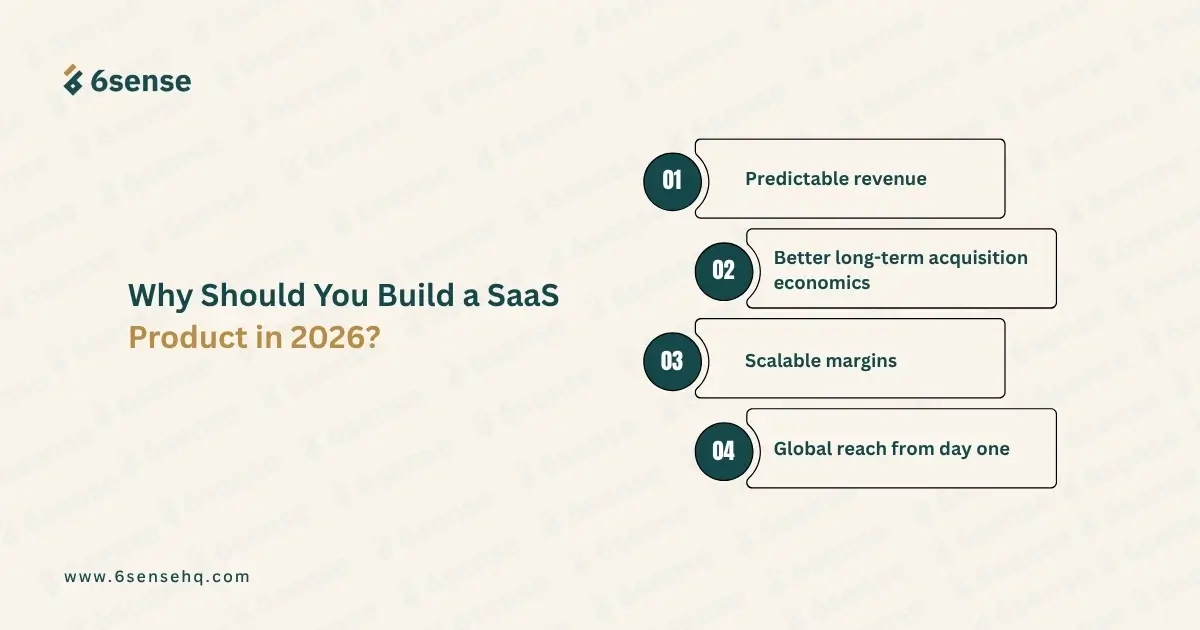
Unlike traditional software, SaaS creates long-term value through recurring revenue and scalability.
Here’s why many founders choose SaaS:
SaaS is especially effective for:
SaaS can be challenging if your product:
To build a successful SaaS product, you need to follow a structured approach. Skipping steps often leads to costly mistakes later.
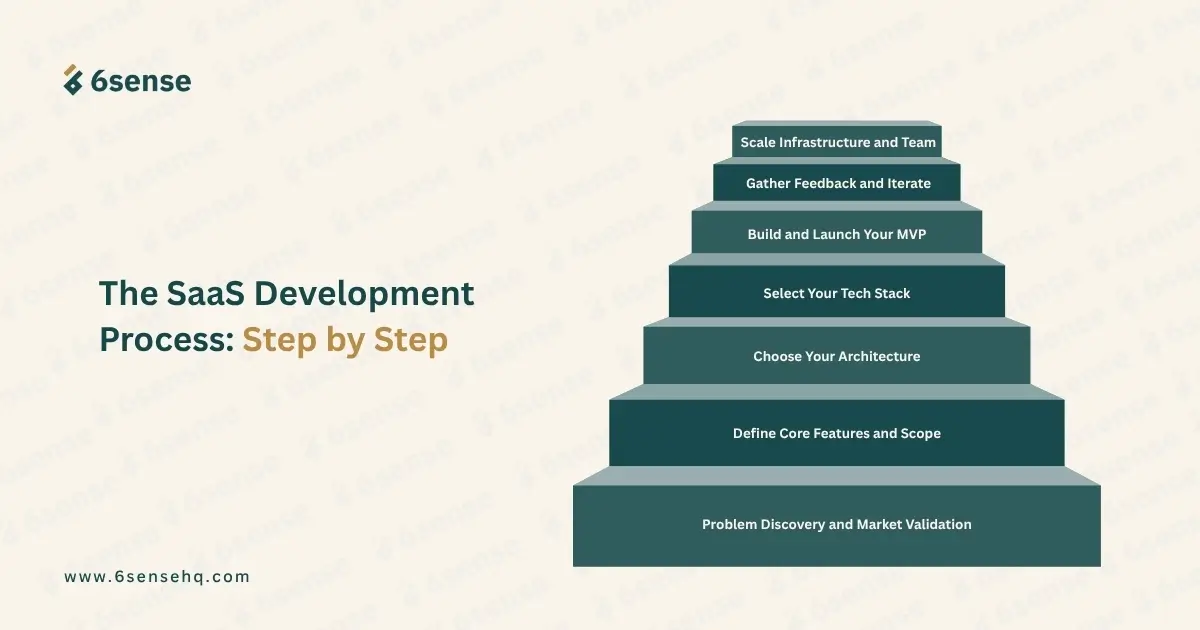
Here is a step-by-step process:
Before any design or development begins, validate that the problem you are solving is real and that people will pay for the solution. Talk to at least 20 potential users. Map their current workflow. Identify what they are already paying for that partially solves the problem.
The question is not "would you use this?" — it is "would you pay for this today?"
Translate validated pain points into a feature list — then cut it in half. The most common mistake at this stage is building too much into version one. Define the single core action your product must enable brilliantly. Everything else is version two.
Early technical decisions shape your entire build. Two decisions made here affect every sprint that follows:
Choose based on your team's existing expertise first, scalability requirements second. A stack your team knows well will outperform a theoretically superior stack they are learning mid-build. See the tech stack section below for specific recommendations.
The goal of the MVP is not a polished product. It is the fastest possible path to real user feedback. According to CB Insights, more than 43% of startups fail because there is no market need for their product. It is a risk that an MVP specifically exists to eliminate before significant capital is committed.
Post-launch, instrument everything. Track where users drop off, which features drive retention, and what support requests reveal about missing functionality. Every iteration should be driven by data, not assumptions.
To track user behavior, tools like Google Analytics, Mixpanel, or PostHog can help. For feedback, you can use Hotjar, Crisp, or Intercom to understand user issues and behavior.
Scaling is not just a technical decision. It is a structural one — which roles does the team need now that the product is live, and is the infrastructure built to handle 10x the current load without a full rebuild?
Choosing your tech stack can feel overwhelming, but the goal is simple. Pick tools your team can confidently build, manage, and scale with.
The best stack is not the most advanced one. It’s the one that helps you move fast without creating unnecessary complexity.
Here are common and reliable choices:
| Use Case | Frontend | Backend | Cloud |
| Early-stage SaaS MVP | React | Django or Rails | AWS or GCP |
| Real-time collaboration tool | React | Node.js | AWS |
| Enterprise SaaS platform | Angular | Node.js or Java | Azure |
| AI-integrated SaaS | React | Python / Django | GCP |
| Content-heavy SaaS | Vue | Laravel | AWS |
If you’re building a SaaS product, pricing isn’t just about numbers. It affects how users sign up, how they use your product, and how your revenue grows over time.
Choosing the wrong model early can make growth harder, so it’s important to keep things simple and clear.
Here are the most common pricing models explained in plain terms:
| Pricing Model | How It Works (Simple) | Best For | What to Watch Out For |
| Freemium | Users get a free version, then pay for advanced features | Products aiming to attract a large number of users quickly | Too many free features can make users never upgrade |
| Tiered Pricing | Different plans with increasing features and pricing | B2B products with different types of customers | Can become confusing if plans are not clearly defined |
| Usage-Based | Users pay based on how much they use the product | Tools where usage directly reflects value (e.g., APIs) | Revenue can be unpredictable month to month |
| Per-User Pricing | You charge per user or team member | Collaboration tools or team-based software | Large teams may resist higher total costs |
| Flat-Rate | One price for full access to everything | Simple products with one main use case | You may miss out on higher revenue as users grow |
If you’re planning a SaaS product, cost is one of the first things you’ll want clarity on. The reality is that it varies based on what you’re building, how complex it is, and how your team is set up.
Still, here are some practical ranges according to clutch, deloitte and few other sources to help you plan:
| Stage | Cost Range | What You Get |
| MVP (Minimum Viable Product) | $30,000 – $60,000 | Core features, basic design, and initial cloud setup |
| Full Product | $60,000 – $200,000+ | Advanced features, integrations, and scalable architecture |
| Cloud Hosting | $100 – $1,000/month | Servers, storage, and infrastructure costs |
| Ongoing Maintenance | $2,000 – $10,000/month | Updates, bug fixes, monitoring, and support |
Your SaaS cost doesn’t just depend on features. A few key decisions can increase your budget much faster than expected.
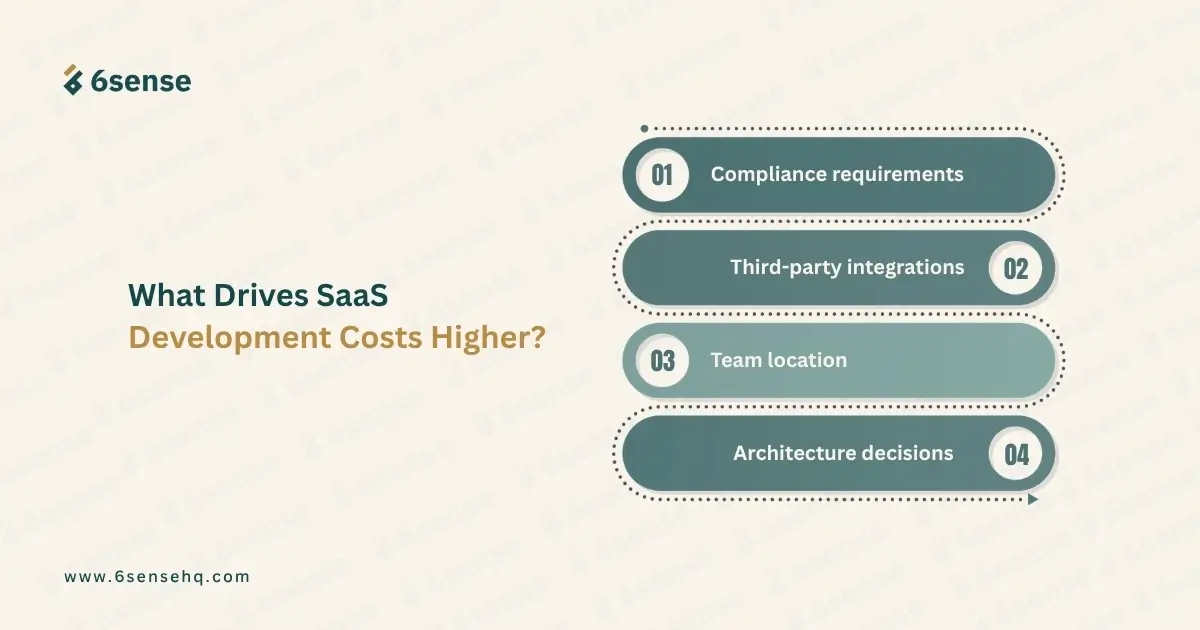
Here are the main factors to watch:
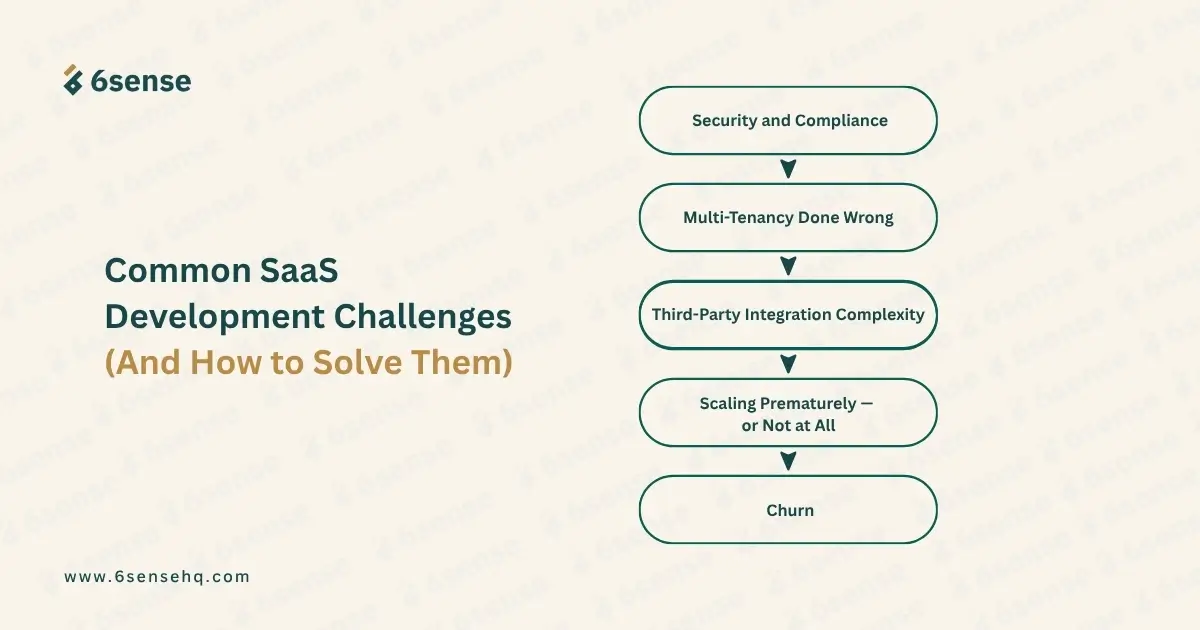
No matter what you’re building, most SaaS products run into similar problems. The difference is whether you catch them early or deal with them later when they’re more expensive and harder to fix.
Here are the most common ones, explained simply:
If your product handles user data then security is not optional.
Many founders treat it as something to handle later, but fixing security issues after launch can be risky and costly.
What to do: Set up basic protections from the start, like secure logins, data protection, and access control. Also check early if your product needs to follow any regulations.
Some teams build the product as if it’s for a single customer, then try to adjust it later for multiple users. This creates major issues down the line.
What to do: Design your product from the beginning so multiple users can use it safely, each with their own data.
Most SaaS products connect with tools like payment systems, analytics, or messaging services. But these tools can fail or change, and you don’t control them.
What to do: Keep your system flexible so you can replace or update integrations without breaking your product.
Trying to build for thousands of users too early can waste time and money. But not preparing for growth can cause crashes when users increase.
What to do: Build for your current stage, but keep things flexible so you can grow without rebuilding everything.
If users sign up but don’t stay, the issue is usually the product, not marketing.
It often means the product isn’t solving the problem well enough or consistently.
What to do: Track how users interact with your product. Look at where they drop off and what features they actually use. Improve based on real behavior, not assumptions.
If you’re building a SaaS product, a few key practices can make a big difference in how fast you move and how well your product performs.
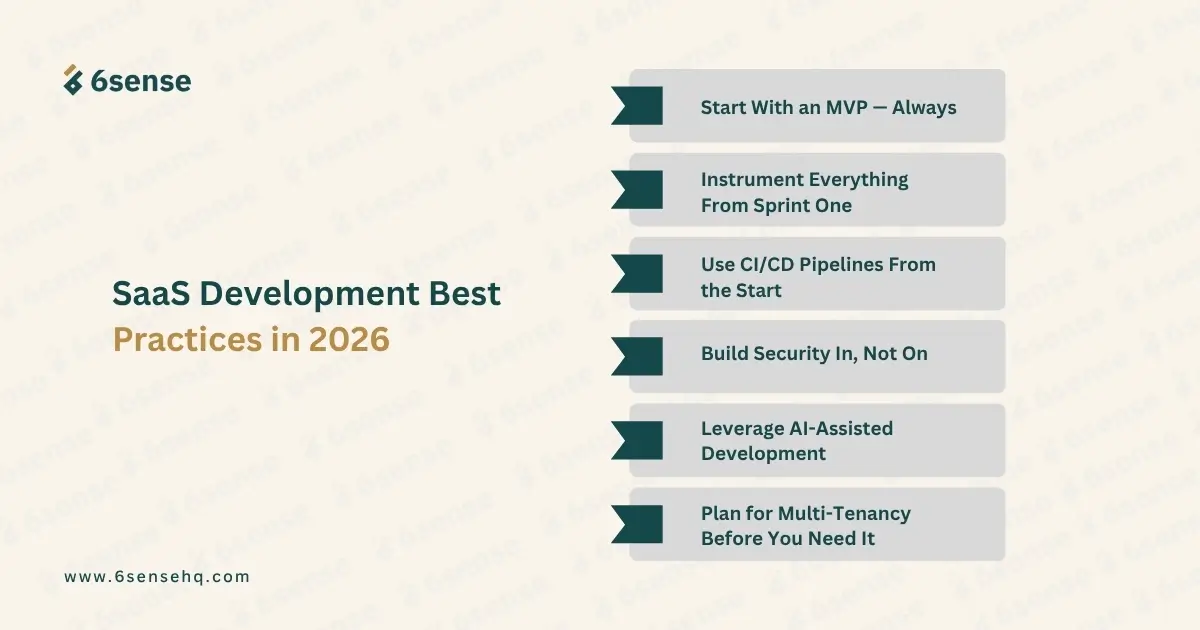
You don’t need to overcomplicate things. Focus on getting the fundamentals right.
Even if your idea feels solid, don’t build everything at once.
Start with a simple version of your product that solves the main problem. This helps you test your idea quickly and avoid wasting time on features users may not need.
Don’t wait until after launch to understand your users.
From the beginning, track how people use your product, where they get stuck, and what they ignore. This helps you make better decisions based on real data instead of guesses.
Instead of waiting to launch big updates, aim to release small improvements frequently.
This helps you fix issues faster, improve the product continuously, and keep users engaged.
Security should not be something you add later.
Make sure your product includes basic protections like secure logins and data safety from day one. Fixing security issues later is much harder and more expensive.
Today, development teams use tools that help them work faster and more efficiently.
These tools don’t replace developers, but they help speed up the process and reduce manual work.
Even if your product is small at the beginning, think about how it will grow.
Set things up in a way that allows you to add more users and features later without needing to rebuild everything.
How you build your SaaS product matters just as much as what you build. The right approach depends on your budget, timeline, and how clear your product idea is.
Here’s a simple comparison to help you decide:
| Option | What It Means | Best For | What to Keep in Mind |
| In-House Team | You hire and manage your own developers | Founders with funding and technical leadership | Takes time to hire and manage, but gives full control |
| Outsourced Agency | You hire an external team to build your product | Clearly defined projects with fixed scope | Faster to start, but usually focused only on execution |
| SaaS Development Partner | A team that helps you build and shape the product | Early-stage ideas that need guidance and flexibility | Higher cost, but includes strategy and long-term support |
Red flags to watch for:
When you think about the benefits of building a SaaS product, it’s easy to focus on development. But most problems don’t come from coding. They come from decisions made before the first line of code is written.
Things like your product scope, pricing model, architecture, and team setup all shape what happens later.
If these are unclear, your build slows down. If they’re well-defined, everything moves faster. Many failed SaaS products don’t fail because the idea was bad. They fail because key decisions were rushed or skipped early on.
The takeaway is simple. Before you start building, take time to define what you’re building, who it’s for, and how it will work. If you want to avoid costly mistakes and move faster with the right foundation, working with an experienced team can help.
At 6sense HQ, we help founders validate ideas, structure their SaaS products, and build with clarity from day one. If you’re planning your SaaS product, it’s worth starting that conversation early.
Choosing the right SaaS development methodology is key to growth. Learn how Agile, Lean, and DevOps can help scale your startup.
6 min read

Master the SaaS development process with our step-by-step guide on planning, building, and scaling a successful cloud product.
8 min read

Learn why SaaS development is faster and more scalable than traditional software. Compare deployment, cost, and cloud agility.
9 min read